Solution · engineering and professional services

Report Automation App

A desktop app for Mac and Windows that turns quotes from your CRM into finished Word reports, from your own templates and business rules. It runs on your computer, uses no AI, and gives the same result every time.

Runs onMac and Windows
DataStays on your computer
LanguagesEnglish and Spanish
AINone: exact and repeatable
OutputWord, optional PDF
Why it exists

From a signed quote to a finished report

Engineering and professional-services consultancies send the same kinds of reports again and again, filled with data that already sits in their CRM. Report automation fills them for you, on your own computer.

The problem
  • Client details are retyped from CRM quotes into each Word report, field by field.
  • Typing mistakes slip into documents that go to clients.
  • Some details, such as site access notes, are not in the CRM at all and get chased every time.
  • Cloud tools for this would mean sending client data outside the office.
What changes for people
  • Quotes arrive by themselves as they are sent or accepted in the CRM.
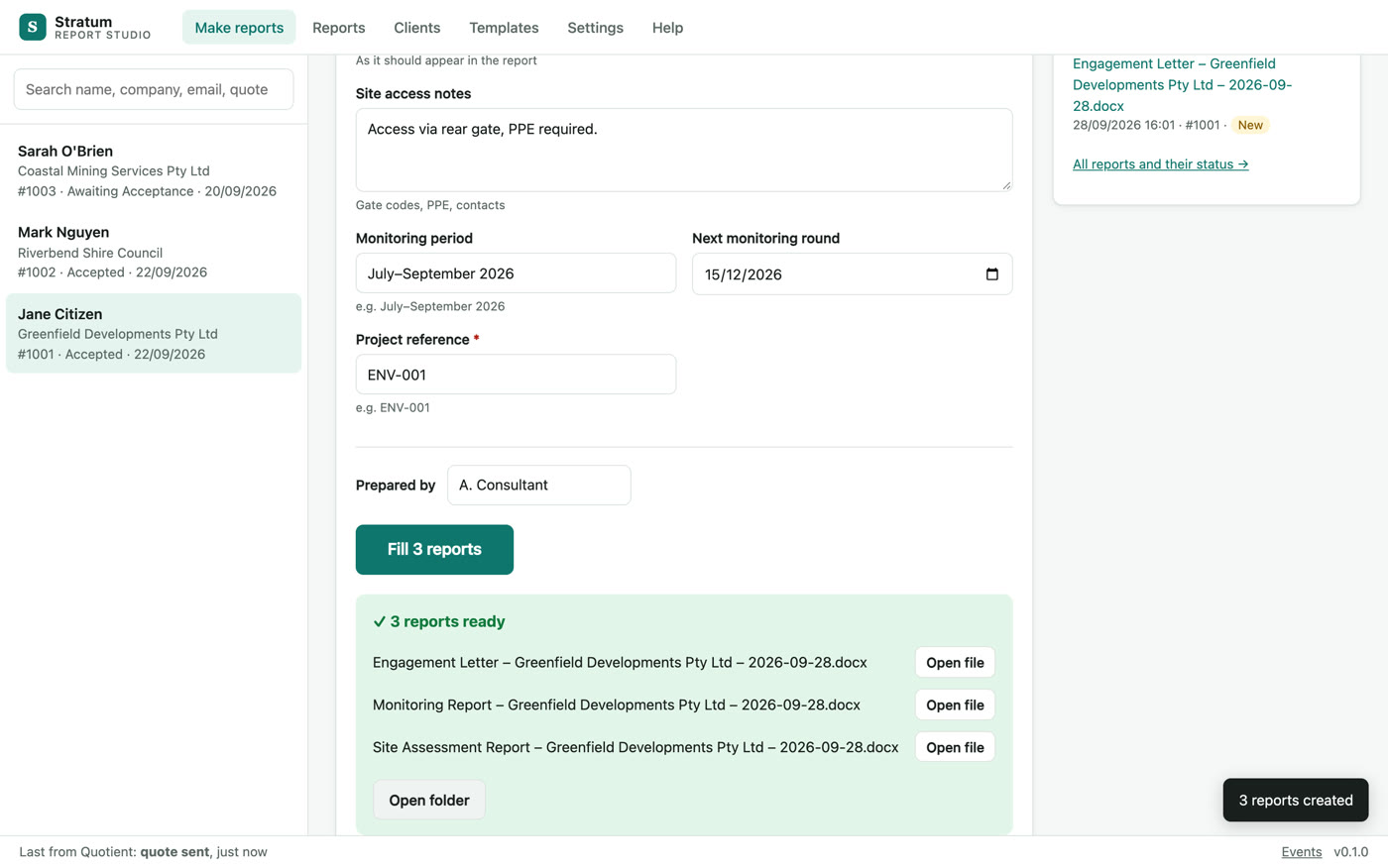
  • Pick a client and a pack of reports, fill in only what is missing, click once.
  • Finished Word files appear in the client’s folder, ready to check and send.
  • Approved wording drops into the right place, and empty sections disappear.
The business case
  • No more copy and paste: a whole report pack is filled in one go.
  • The same input always gives the same report: no AI guesswork.
  • Client data stays on the office computer, with backups and an audit log.
  • Your own templates and wording, kept as they are, under your control.
How it works

From a quote to a finished report pack

1

Connect the CRM

Paste one secure web address into the CRM; quotes arrive as they are sent or accepted.

2

Pick a client and reports

Choose the client, the quote and the templates, or a whole pack in one tick.

3

Fill in what is missing

Only the fields the CRM does not have are asked for, and remembered for next time.

4

Fill and send

The reports appear in the client's folder, ready to check and send.
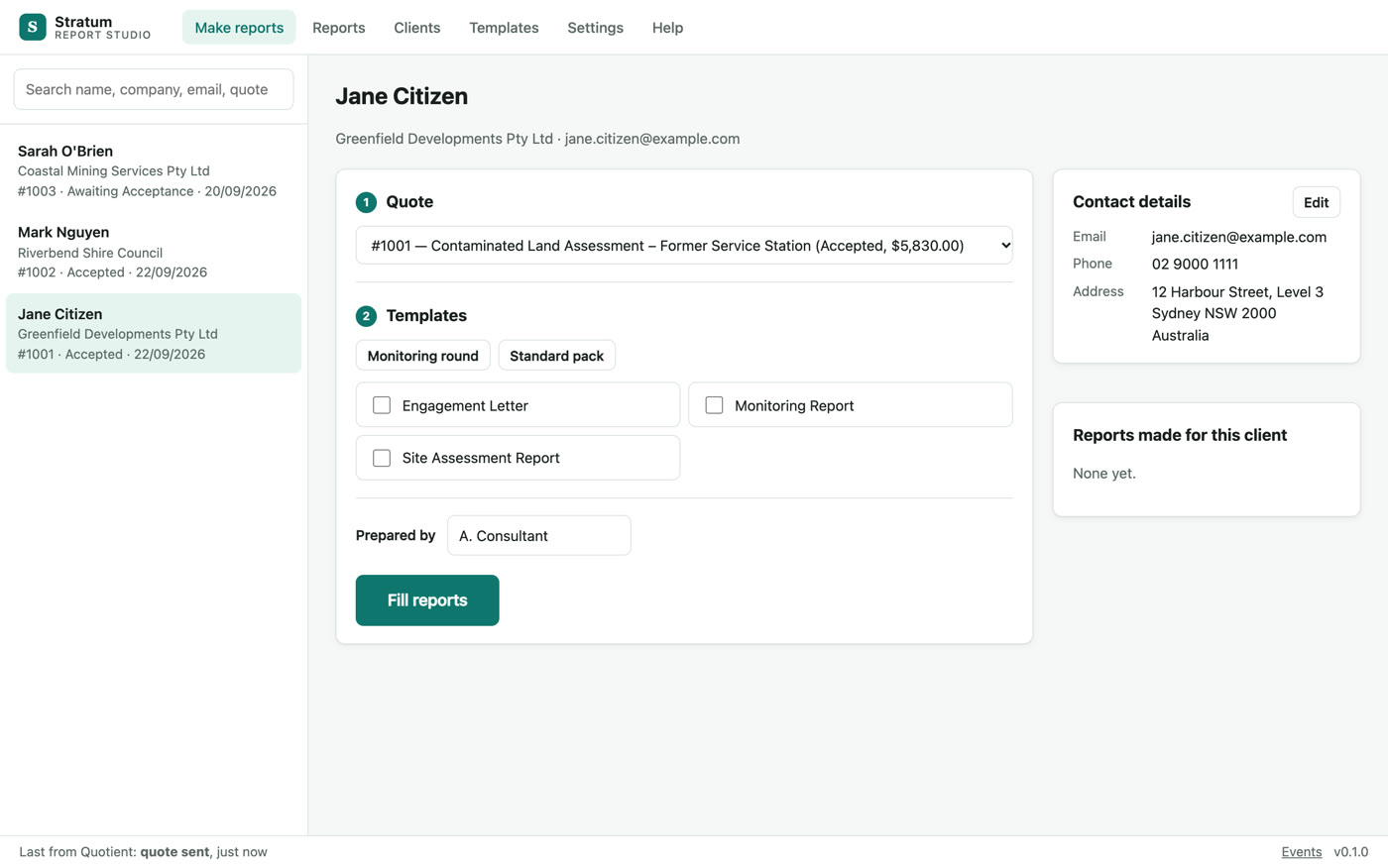
Pick a client, a quote and the templates.
Three reports filled in one click, ready to open.
Templates and rules

Your documents, your logic

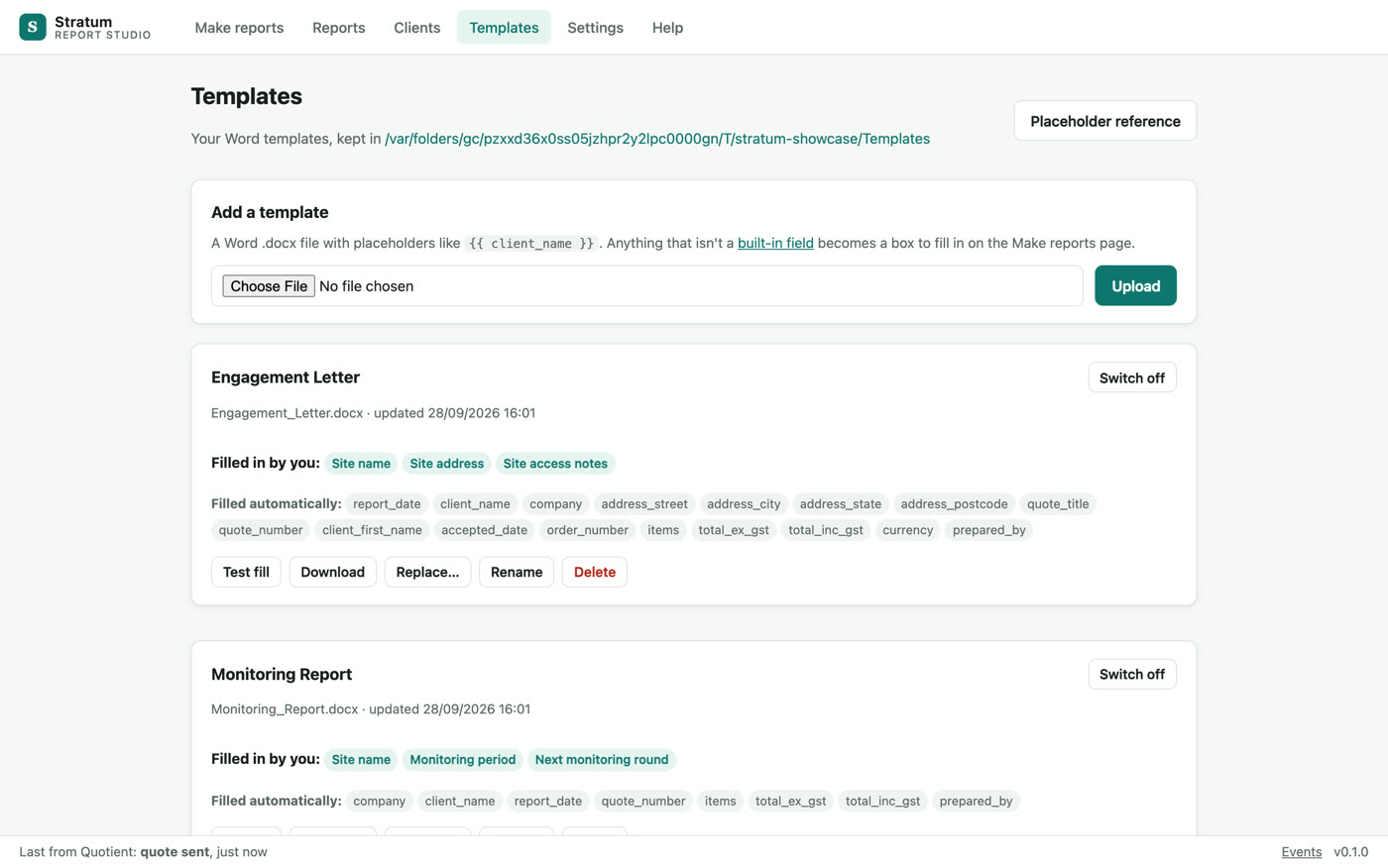
Templates: what is filled automatically and what you fill in.
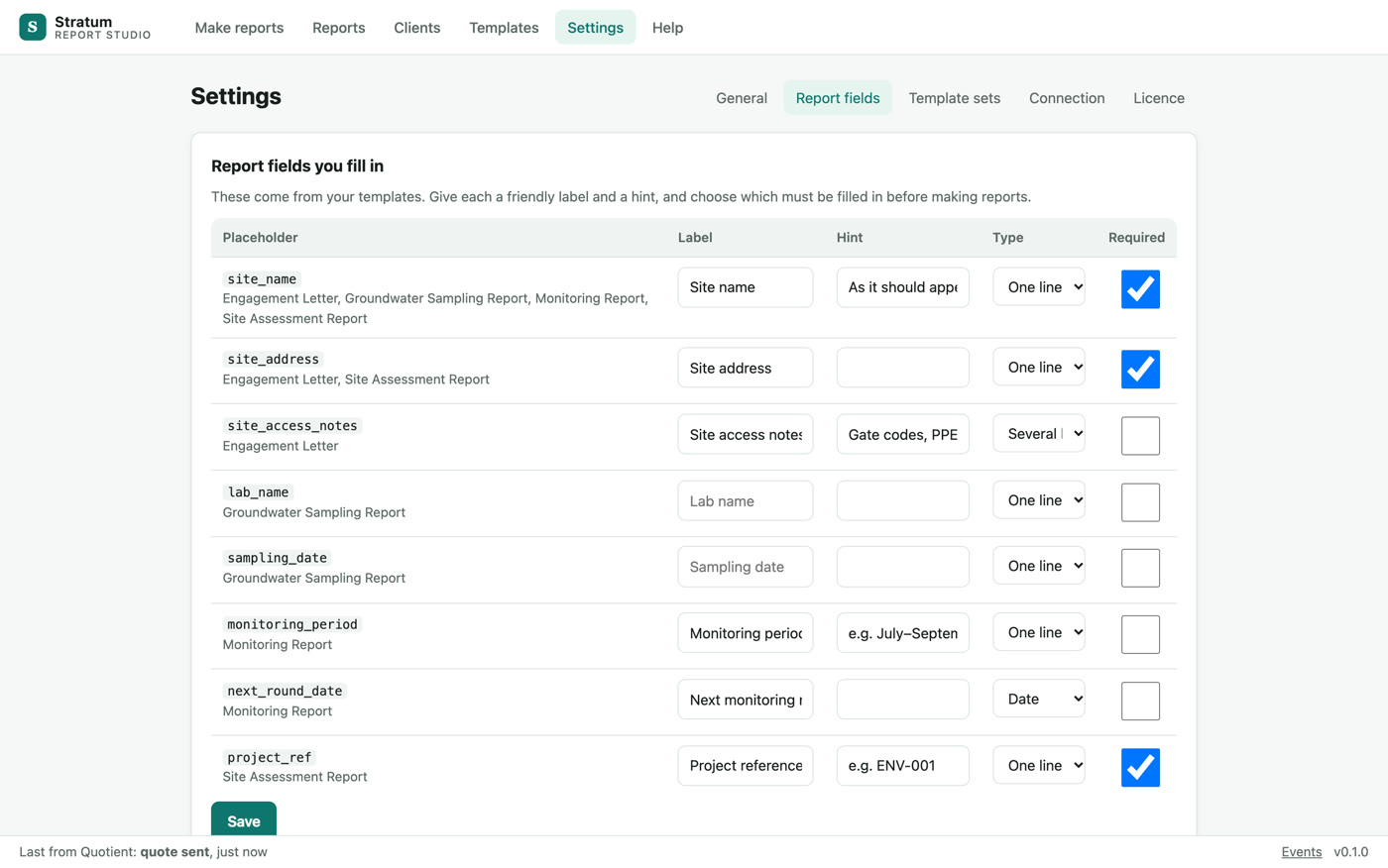
Report fields: labels, hints, types and which are required.

Your own Word templates

Upload a .docx with placeholders; it is checked, test-filled and versioned.

About 25 fields filled for you

Client, company, address, quote number, dates, totals and the items table.

Fields you define

Any other placeholder becomes a form field, with a label, a hint, a type and a required flag.

Standard wording

A library of approved paragraphs dropped into the right place; empty sections removed and renumbered.

Template packs

Group the reports you always send together and fill them at once.

Never overwritten

Every run writes a new file, so nothing is lost.

Day to day

Track every report, trust every run

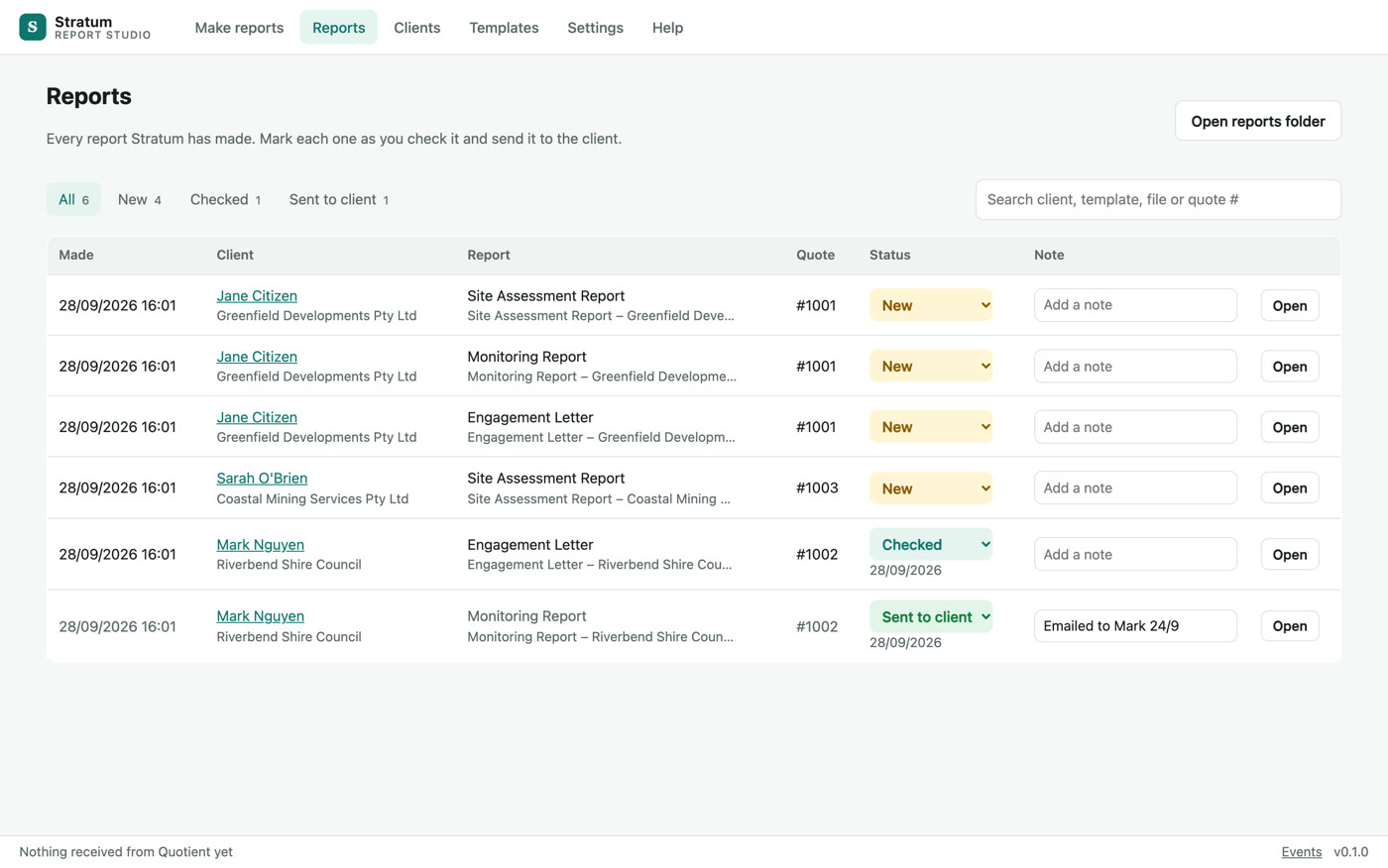
The reports tracker, with each report's status.
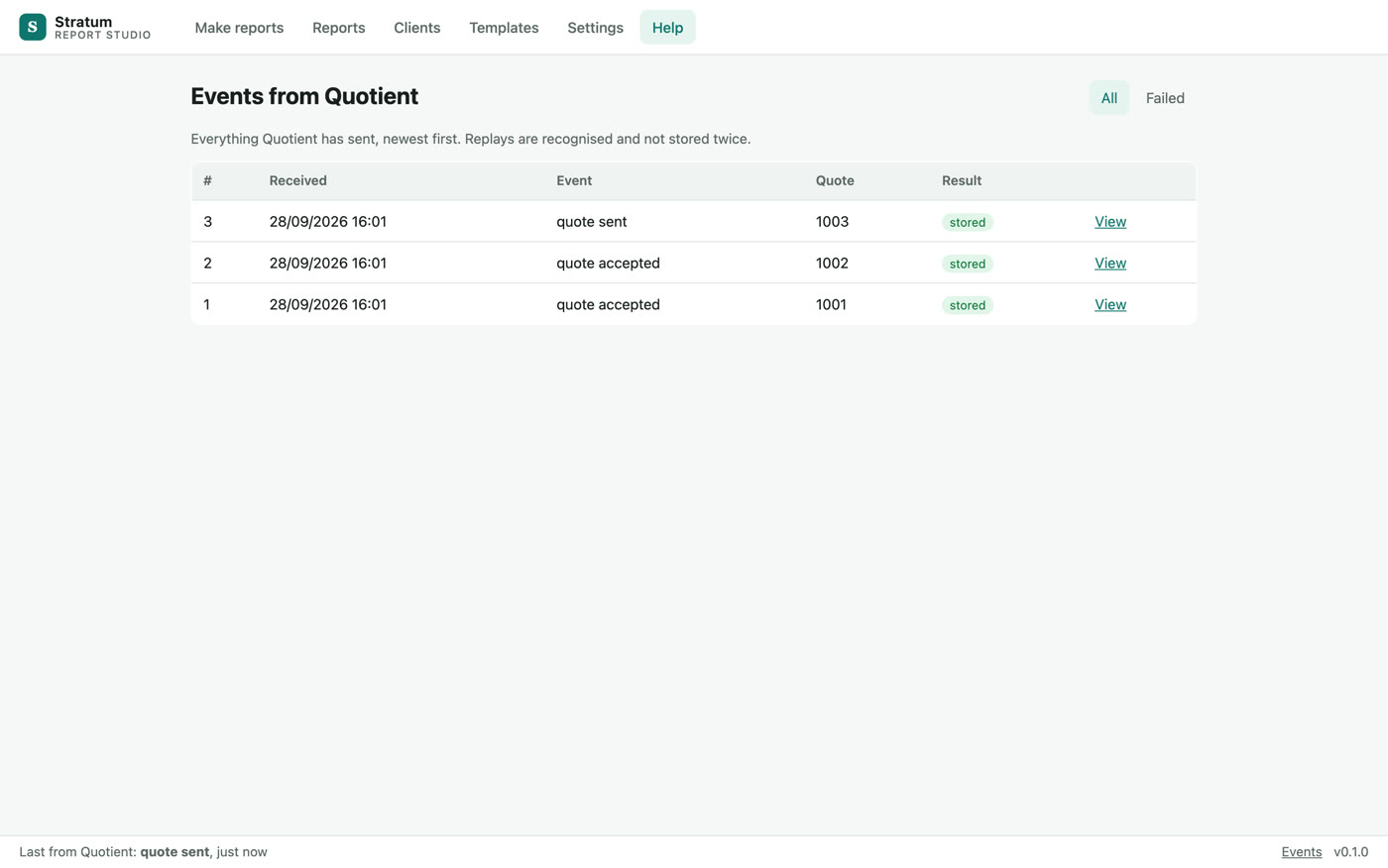
Every event from the CRM, stored once and replayable.

A reports tracker

New, Checked and Sent to client, with notes and search.

Clients kept locally

Clients from the CRM, by hand or from a CSV import, stored on your machine.

Reliable intake

Duplicates ignored, offline gaps detected, and a log of every event from the CRM.

Built for the office

Licence per computer, backups, start with the computer and a one-click diagnostics file.

See Report Automation App with your own team

A short demo on your use case, and a plan to get you live.

Explore more

Related solutions

All solutions

Turn ambition into results.

Tell us where you want to be. We will show you the fastest way to get there, with the right mix of strategy, technology and AI.