Project · Venue & Stadium Technology · Team experience

Command and control for tournament stadiums

One cloud platform that brought eight stadiums under a single remote command centre, so one team could run a compact tournament where several matches were played in the same city on the same day.

Venues8 stadiums, one city
PlatformCloud, on Microsoft Azure
ScopeFacilities, IT, safety and security
Our roleApplication delivery and operations
In the command centre

When an alarm goes off

Scroll through one alarm, from the stadium twin to the team on the ground, and out to the command and control centre that runs every stadium. The same flow runs for a forced door, a door held open, a pump fault or a fire alarm, each with its own procedure.

  1. The whole stadium, liveEach stadium as a 3D twin, with every camera, door, pump and sensor in its place.
  2. Zoom into a floorThe camera moves in and the roof and walls lift away entirely, leaving one floor: its zones, seating areas and rooms.
  3. Every asset in its placeEvery connected asset on the level, colour-coded by type, with the stadium's own control room and the data centre that keeps it running on its own.
  4. An alarm comes inA forced door lights up on the twin and on the alarm panel, already cleaned and given its priority.
  5. Look backThe nearest cameras are found by location and replay the moment the alarm tripped.
  6. Run the procedureThe SOP guides the operator step by step: confirm, lock the zone, change the turnstile mode.
  7. Guide the field engineerThe field engineer or staff member gets the task on their app and follows wayfinding directions in 3D, turn by turn, to the exact door.
  8. Close it liveThe field engineer updates their location and the incident's status from the app as they work. The command and control centre sees each change on the twin, and the alarm closes and is logged.
  9. Every stadium on one platformPull back and each stadium is linked to the hub and its private cloud, backed up to the cloud, feeding one command and control centre.
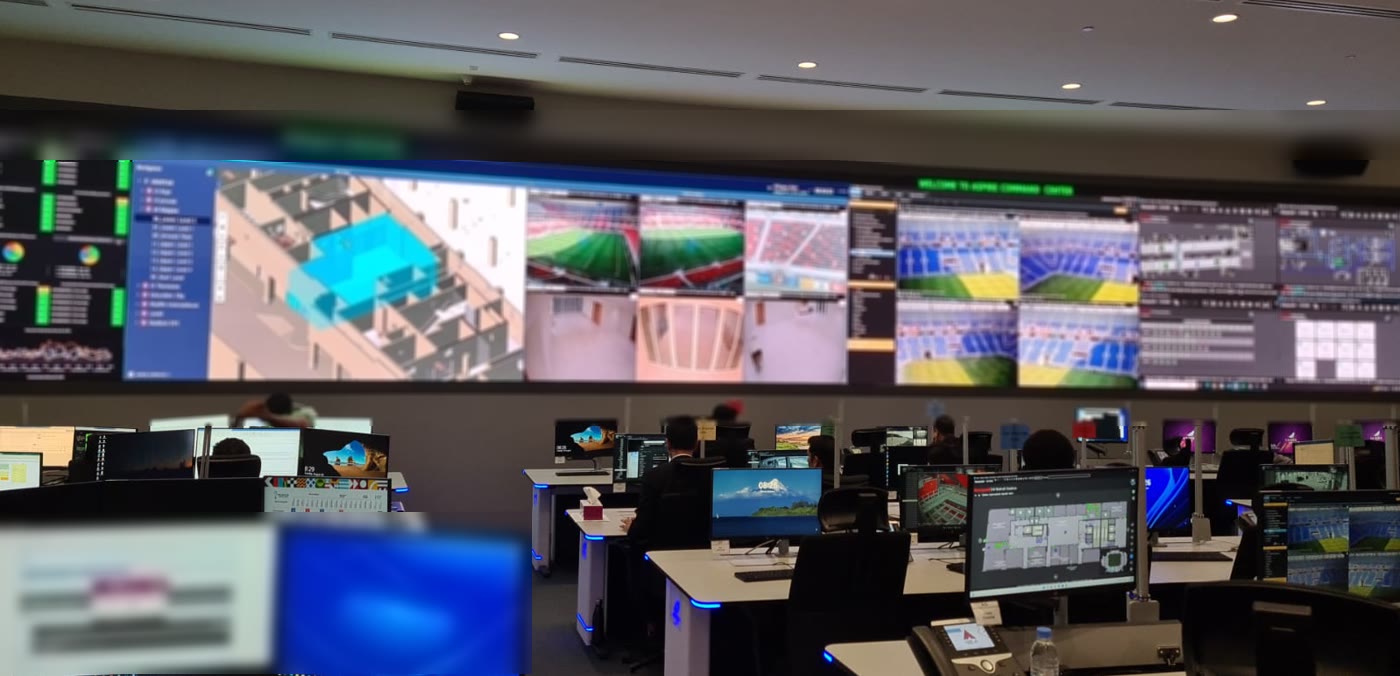
  10. Inside the command and control centreRows of operator desks, each with two or three screens, face a long curved video wall: stadium twins and floor plans in the middle, with camera feeds, crowds, facilities and the ICT network around them. The front rows split by domain, with coordination at the back.

The 3D stadium is adapted from “Soccer Stadium” by R-LAB, CC BY 4.0

The challenge

Eight stadiums, one team, matches on the same day

In a compact tournament the venues sit close together and several matches run on the same day, so operations could not be split across eight separate teams.

One team for every venue

Instead of a team per stadium, one operations team had to see and run all eight at once.

Like running a small city

Each stadium has its own facility, IT, safety and security systems, each producing data and alarms.

No time to react late

Crowds, cooling and power had to be managed before problems reached fans, not after.

The connected stadium

The connected stadium

A connected stadium brings the IT and IoT systems of every venue onto one platform, so alarms and readings reach one command centre in real time, wherever it is. This platform was among the first built on that idea.

Before
  1. A separate screen for each system
  2. A floor plan per system, per stadium
  3. Operators switch between tools to piece an event together
After
  1. One 3D digital twin of each stadium
  2. Every system on the same floor, live
  3. Monitor, control and act from one screen
Before, each system in each stadium had its own screen, floor plan and buttons. After, one 3D model shows them all, and a floor can be sliced to see every system on it at once.
What we did

One connected stadiums platform

01

One unified platform

Facility management, IT, safety and security from all eight stadiums brought into one integrated environment in the cloud.

02

A remote command centre

Experts monitor every stadium's subsystems from one room and act on standard operating procedures, on event days and in between.

03

A digital twin of each stadium

Operators move through each venue floor by floor in 3D; an alarm such as a forced door appears on the twin with the room's camera feed a click away.

04

Prevention, not just response

Data from past crowding at turnstile gates predicts when a gate will overcrowd, so teams act before it becomes a risk. Cooling is set by how many people are inside, and crowds are redirected to quieter entrances.

Alarm management

From many alarms to a few clear actions

Alarms arrive from many systems, each with its own format and its own idea of urgency. The platform cleans them up before an operator sees them.

Raw
  1. Thousands of alarms, all at once
  2. One door, many repeated alerts
  3. High, Medium, Low here; 1 to 5 there
Managed
  1. Duplicates merged by asset
  2. One priority scale for every system
  3. Sent to the right team with its SOP
Duplicates from the same asset are merged, priorities are put on one scale (one system says High, another says 1), and each alarm goes to the team that owns it.
Results

What it achieved

8

stadiums run from one command centre

1st

a digital first in football: a live digital twin of each stadium

24/7

monitoring on event days and in between

The business case

Why it pays back

A high-level view of the value for venue owners, operators and authorities.

  • One team, many venuesA central team runs several stadiums, instead of a full control room in every one.
  • Faster responseAlarms reach the right person with the location, the cameras and the procedure already attached.
  • Problems caught earlyCooling, pumps and power watched live, so faults are fixed before fans feel them.
  • Lessons keptEvery incident is logged with its timeline, so procedures improve from match to match.
  • Built once, used oftenThe same platform serves tournaments, events and the everyday running of the venues in between.
  • Calmer operationsOne shared picture for every team, so decisions are made on the same facts.
The domains

Four domains in every stadium

The digital twin of each stadium monitors and controls every system across four domains, connected over IP down to each device.

Visitor management

Turnstiles, crowd management and people counting, from the gates outside to the seats inside.

TurnstilesCrowd managementHeadcount with AIGate control

Safety and security

Cameras, access control, barriers and intrusion detection, monitored and controlled from one place.

CCTVAccess controlBarriersTurnstiles

Audio and video

Sound, microphones, digital screens, kiosks and skybox displays across the venue.

Public addressMicrophonesDigital screensKiosks and skyboxes

Facility management

Chillers, water pumps, temperature and every building system, with alarms and remote control.

ChillersWater pumpsTemperature controlBuilding management
Control

More than monitoring

Monitoring is half the job. The platform also changes how each stadium runs, one venue at a time or several at once.

  • Turnstile modesOne mode for a test match, another for a full competition day.
  • Cooling by tierChilled-water pumps and air handling units cool the first, second or third tier of the bowl, depending on the crowd.
  • Announcements by zoneSpeakers in each zone carry live or recorded messages, in one stadium or several.
  • Listening to the venueMicrophones in the stadium let operators hear what is happening in a zone.
  • Screens on cueAn SOP such as an evacuation sends its own feed to the screens in the right areas.
  • Light shows from the crowdWhen the microphones hear the crowd cheer, the lighting control system starts a light show.
Architecture

Built to keep running

How the platform is put together, from each device in the stadium to the operators in the command centre.

A digital twin of each stadium

A real replica of the stadium, reduced from the full building models so it runs light, with every connected device placed on it for monitoring and control.

An SOP engine

Automated and manual standard operating procedures, triggered by alarms and followed step by step by operators.

Smart alarms from every system

One alarm panel for every subsystem, from a forced door to a chiller or pump temperature, with notifications to the right team.

Field service in the loop

Alarms and procedures reach the field teams on their app, with wayfinding in 3D to the exact spot; the team updates its location and the incident status live until it is closed.

A command centre with a video wall

Operators work side by side in front of a large wall, each one watching their part of the operation.

Stadium-side resilience

Each stadium can run on its own command centre if the connection to the centre drops.

Layered security, several regions

Security on the cloud and on site, and the platform spread across regions so it keeps running.

Connected to IT systems

It also connects to the stadium IT systems, such as network security and Wi-Fi.

A glimpse of the platform

How the layers fit together

A simplified view of how a platform like this is layered, from the systems in each venue up to the people who run them. Every programme is shaped around its own venues, so the detail differs from one to the next.

  1. 5
    OperationsThe command centre, its video wall and the teams in the field.
    • Video wall
    • Field teams
  2. 4
    Central platformThe shared services every venue uses, with redundancy built in.
    • Digital twin
    • Alarms and procedures
  3. 3
    Venue networkLinks each venue to the central platform.
    • Every venue linked
  4. 2
    Venue integrationBrings each venue's systems into one common view, and keeps local operations going on their own.
    • One common view
  5. 1
    Venue systemsThe systems already in place, from many vendors.
    • Security
    • Building systems
    • Audio and video
    • IT
Illustrative only: it shows the idea, not the full design.
Onboarding

Bringing a venue onto the twin

Much of the work happens before the first alarm. Each venue is brought on in stages, then tested with the people who will use it.

  1. 1Model the venueA lightweight 3D model of each venue.
  2. 2Map what is thereThe devices and systems in each space.
  3. 3ConnectLive status and controls brought into one view.
  4. 4AlignCommon names and priorities across vendors.
  5. 5RehearseTested with the teams before going live.
A simplified outline of the onboarding stages.
Resilience

Built to keep running

Critical services stay local to each venue, with further layers of redundancy above them, and each layer was tested.

Local first
Each venue keeps its critical services running on its own.
A shared platform
A central platform links every venue.
Redundancy
Further layers keep the platform available if one part fails.
Added services
Crowd and wayfinding services sit apart from the critical systems.
A high-level view of the approach.
Delivery

The team and the way of working

A multidisciplinary team of engineers, architects, programme managers, designers and on-site specialists, working in phases across the venues.

Build
The core platform and its apps.
Connect
Each venue's systems, one venue at a time.
Test
Checks at every step, with the people who use it.
Tailor
Set up around each operations team.
Phased across the venues, with quality checks throughout.
Connected projects

Part of a larger programme

Extensions on the same platform and the same 3D world: crowd management, wayfinding and the Smart Sport Access ID, each with its own story.

A closer look

Inside the work
The command centre's video wall and operator desks, blurred
The command centre on a match day.
Operator screens showing the digital twin and camera feeds, blurred
The digital twin beside the live camera feeds.
Recognition

Recognised by

Capabilities

What it drew on

Command and control platformsCloud on Microsoft AzureDigital twins (3D)Standard operating proceduresAlarm and incident managementPredictive crowd analyticsIT/OT integrationMulti-vendor programme delivery

Turn ambition into results.

Tell us where you want to be. We will show you the fastest way to get there, with the right mix of strategy, technology and AI.